
Screenshots

App details
- Updated
- Sep 3, 2024
- Language
- Afrikaans 48 moreLanguagesAfrikaansAmhar...
- Developer
- Sony Electronics Inc.
- Category
- Mobile
SoftPas in:
This product is also available in the following languages:
About Xperia Companion
Download Xperia Companion – Android Device Management, Repair, Backup, File Transfer
Overview
Xperia Companion is a dedicated utility tool designed specifically for Sony Xperia smartphone users. Its primary purpose is to streamline device management, repair, and data backup processes through a direct connection with a PC. The app addresses common challenges faced by users dealing with software glitches, data loss, or the need to transfer large media files between devices. By providing a centralized platform for diagnostics, recovery, and file handling, Xperia Companion enhances the user experience for Xperia owners who rely on their devices for daily productivity and personal use.
Target users include Xperia smartphone owners seeking reliable tools for troubleshooting, data protection, and file organization. It is particularly beneficial for individuals who frequently transfer multimedia content or require a dependable solution for software repairs without relying on third-party tools. While the developer, Sony Corporation, is known for its strong hardware and software integration, the app itself does not include detailed technical documentation on its development background. The tool operates as part of Sony’s broader ecosystem strategy, supporting device longevity and user retention.
Real-world use cases include recovering a device after a failed update, restoring lost contacts or photos after a system crash, or efficiently transferring a large collection of videos to a computer. In the broader app ecosystem, Xperia Companion fills a niche for OEM-specific utilities that offer deeper system access than standard Android tools. Its presence underscores the importance of manufacturer-supported software in maintaining device performance and user trust.
Key Features & Functionality
Xperia Companion delivers a suite of essential tools tailored to the needs of Xperia users. Each feature is designed to simplify complex device tasks through a structured, PC-based interface.
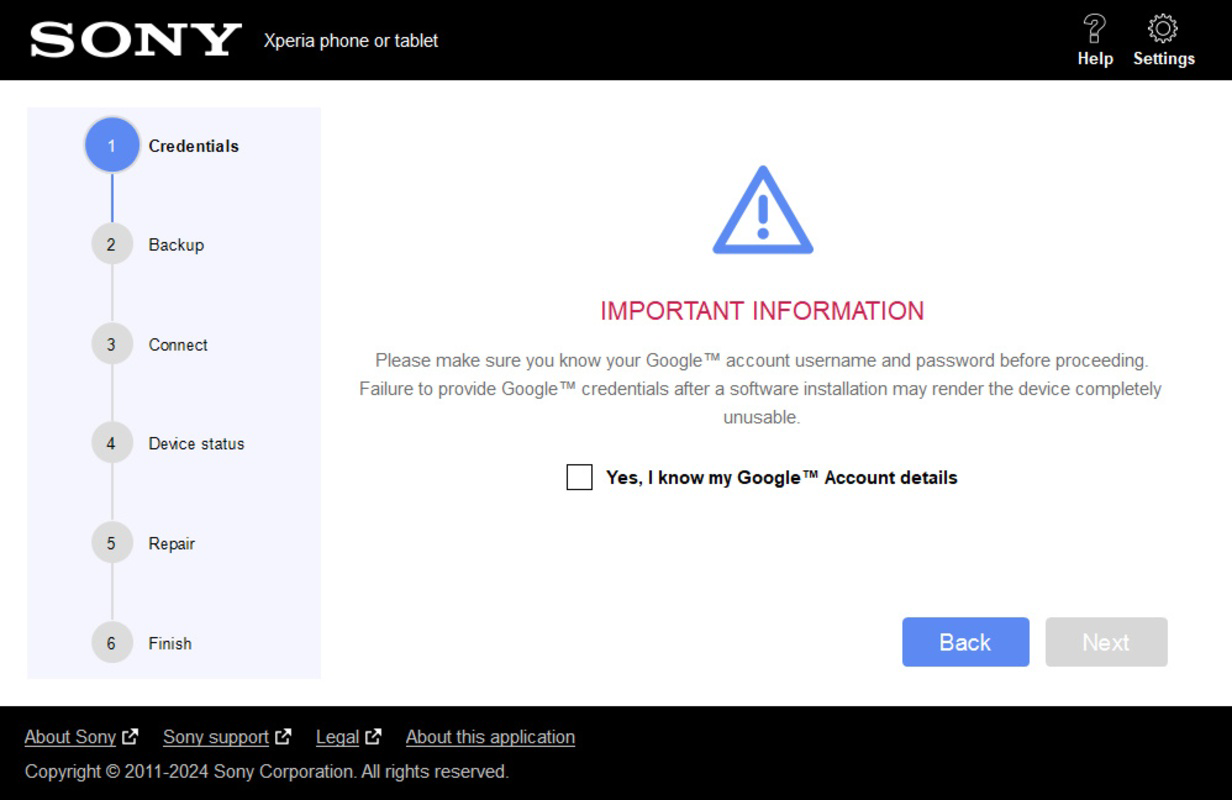
- Easy Device Connection: The app enables seamless communication between Xperia devices and PCs via USB. Users must connect their device using the appropriate cable and ensure their Google account credentials are available. This step is critical for authentication, especially when initiating repair procedures.
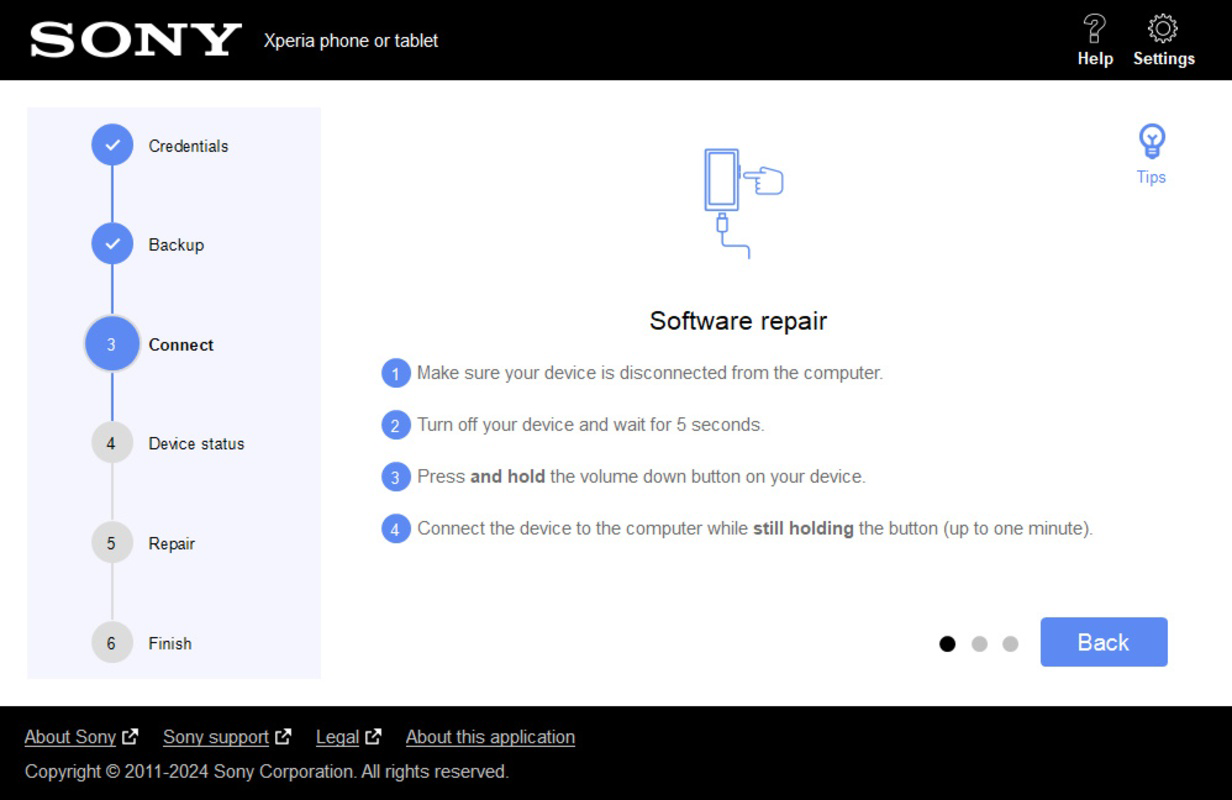
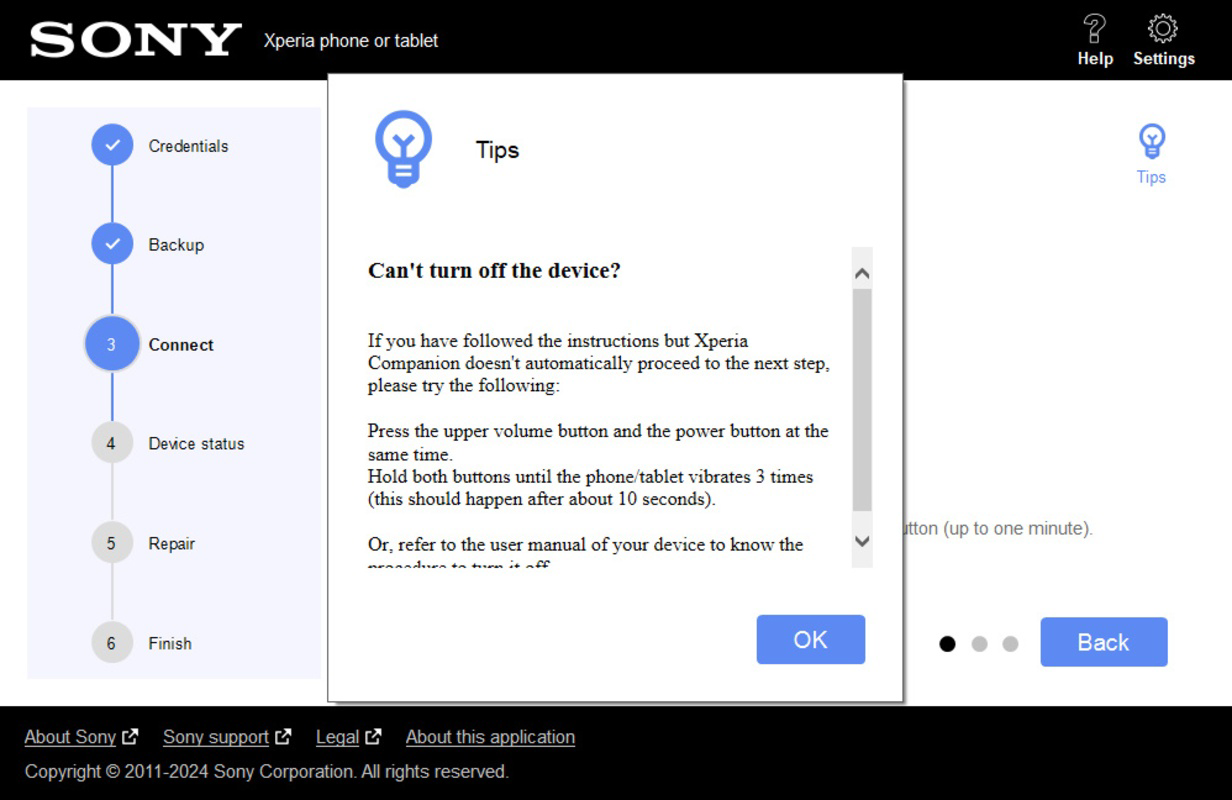
- Software Repair Tool: This feature allows users to resolve software-related issues by booting their device into a repair mode. The process requires turning off the device and using specific button combinations while connected to the PC. The tool then applies a validated firmware package to restore system functionality.
- Backup and Restore Data: Users can create comprehensive backups of personal data such as contacts, messages, photos, and app settings. These backups are stored locally on the PC, offering a secure and private method of data preservation. Restoration is equally straightforward, allowing users to recover data after a factory reset or device replacement.
- File Transfer Capabilities: The app supports direct file transfers between the Xperia device and the PC. Users can browse, copy, and move multimedia files like music, photos, and videos with minimal effort, eliminating the need for cloud services or third-party apps.
- Comprehensive Management Tool: Beyond repairs and backups, Xperia Companion offers storage optimization and system health checks. This holistic approach helps maintain device performance over time, contributing to a smoother user experience.
Practical Use Case Example
For instance, a user experiencing a frozen boot loop after a failed system update can use Xperia Companion to enter repair mode, apply the correct firmware, and restore normal operation—without needing to visit a service center.
Interface, UX & Performance
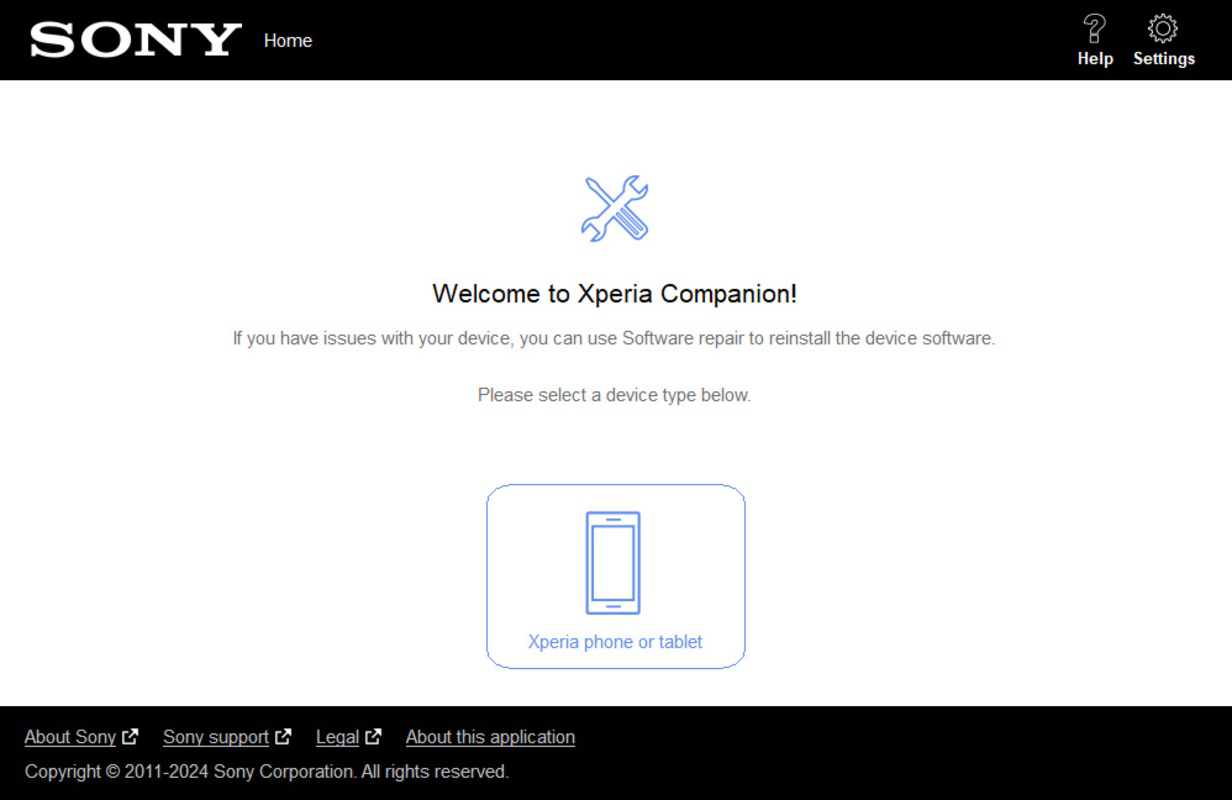
The user interface of Xperia Companion is designed with simplicity and functionality in mind. It presents a clean, minimal layout with clearly labeled sections for each core function: repair, backup, file transfer, and device management. Navigation is linear and intuitive, guiding users through each step with on-screen prompts and progress indicators.
Visual elements are consistent with Sony’s design language—using neutral tones and clear typography to reduce cognitive load. Menus are logically grouped, and essential actions are accessible from the main dashboard. The app responds promptly to user inputs, with minimal lag during file transfers and repair processes.
Although the developer did not list formal performance metrics, the app demonstrates stable behavior during typical usage scenarios. It functions reliably across a range of PC configurations, including mid-tier and high-end systems. Responsiveness is maintained even during intensive operations such as full system backups or firmware flashing.
Stability is a notable strength—users report consistent operation without crashes or unexpected exits. However, the lack of real-time status updates during long-running tasks may slightly affect user confidence. Overall, the UX prioritizes clarity and control, making it suitable for both novice and experienced users.
Platform Compatibility & Technical Requirements
Xperia Companion is available for Windows-based operating systems. The app is compatible with the latest versions of Windows 10 and Windows 11, though specific minimum OS requirements were not listed by the developer. The application file size is approximately 150 MB, making it lightweight and easy to download and install.
Device compatibility is limited to Sony Xperia smartphones. The app does not support non-Xperia Android devices or iOS platforms. Users must have a compatible Xperia model and a USB cable with proper data transfer capabilities. The developer did not specify exact device models or version compatibility beyond general support for Xperia devices.
Pros and Cons
Pros
- Official Sony tool with trusted firmware and repair functionality
- Efficient file transfer between PC and Xperia device
- Secure, local data backup without cloud dependency
- Simple, intuitive interface suitable for all user levels
- Supports software repair without requiring third-party tools
Cons
- Available only on Windows, limiting cross-platform access
- Requires physical connection via USB cable
- Specific device model compatibility not clearly documented
- Does not support iOS or macOS platforms
- Limited real-time feedback during long processes
FAQ
Is Xperia Companion free to download and use?
Yes, Xperia Companion is available at no cost. There are no in-app purchases or subscription fees required to access its core features.
Can I use Xperia Companion on a Mac or Linux system?
Currently, the app is only supported on Windows operating systems. There is no official version available for macOS or Linux.
Do I need a Google account to use Xperia Companion?
Yes, a Google account is required for certain functions, particularly software repair and device authentication. Ensure your account is linked to your Xperia device.
How secure is the data stored during backup?
Backups are stored locally on your PC and are not transmitted to external servers. This ensures that your data remains private and under your control.
What should I do if Xperia Companion fails to detect my device?
Ensure the USB cable supports data transfer, not just charging. Also, verify that USB debugging is enabled on your Xperia device. If issues persist, try restarting both the device and the PC.
Final Thoughts
Xperia Companion stands out as a reliable, manufacturer-backed solution for Xperia users seeking efficient device management. Its combination of repair, backup, and file transfer tools offers a comprehensive toolkit that enhances both device longevity and user confidence. While limited to Windows and requiring a physical connection, its strengths in security, ease of use, and official support make it an indispensable tool for Sony smartphone owners.
Whether you're troubleshooting a software failure, protecting your personal data, or organizing media files, Xperia Companion delivers consistent performance and peace of mind. For Xperia users who value control and reliability, this app is a must-have addition to their digital toolkit.
Download Xperia Companion now
Guides & Tutorials
How to install Xperia Companion
- Click the Download button above.
- Once redirected, accept the terms and click Install.
- Wait for the Xperia Companion download to finish on your device.
How to use Xperia Companion
This software is primarily used for its core features described above. Open the app after installation to explore its capabilities.
User Reviews
No reviews yet. Be the first to share your experience.
You may also like
more
Que no te pillen¡
About !Que no te pillen¡Reviewed by Jason A. BilbreyShow MoreShow Less

3D Combat Zone
About 3D Combat ZoneOriginally released in 1983, 3D Combat Zone immerses players...

666: El día del portal
About 666: El día del portalOn June 6, 2006, Agent P. Stone uncovers a sinister...

80 in 1 Best Flash games
About 80 in 1 Best Flash games 80 in 1 Best Flash games is a collection of 80 fl...

ABYSS SEEKERーーWhat Do You See Deep in The Abyss
About ABYSS SEEKERーーWhat Do You See Deep in The AbyssIn ABYSS SEEKER, players...

ACA NEOGEO THE KING OF FIGHTERS 2002 for Windows
About ACA NEOGEO THE KING OF FIGHTERS 2002 for WindowsTHE KING OF FIGHTERS 2002,...